

For numerous casino enthusiasts in Ireland, their smartphone is their pass to the thrills https://spinsstein.com/en-ie/. The Spinstein Casino mobile application stores the full casino experience in your pocket. You receive a vast selection of games and all the features you’d expect from the desktop site, available to play no matter your location.
Getting Started with Spinstein Casino Mobile Gaming
Spinstein’s mobile app is built for life on the move. It operates similarly to the desktop website, but everything is sized for your phone’s screen and responds to your touch. You will not encounter a reduced game selection or reduced payment methods here.
You can dive in by installing the dedicated app or simply using your mobile browser. Both methods are safe and load games swiftly, provided your internet connection is stable. That is everything required for the complete casino experience from any location in Ireland.
Installation and Installation Guide
If you have an iPhone, grab the app from the Apple App Store. For Android phones, you’ll need to download the APK file straight from the Spinstein Casino website, since it’s not on the Google Play Store. Getting it on either platform is quick and easy.
Once the file is downloaded, access it and adhere to the instructions on your screen. Android users might have to adjust a setting to allow installations from “Unknown Sources.” Then, just log in with your usual Spinstein details, or create a new account right inside the app.
Game Selection
The mobile selection contains hundreds online slots from the best developers. These games work flawlessly on any current smartphone, packed with different themes, bonus rounds, and progressive jackpots, all adapted for touchscreens.
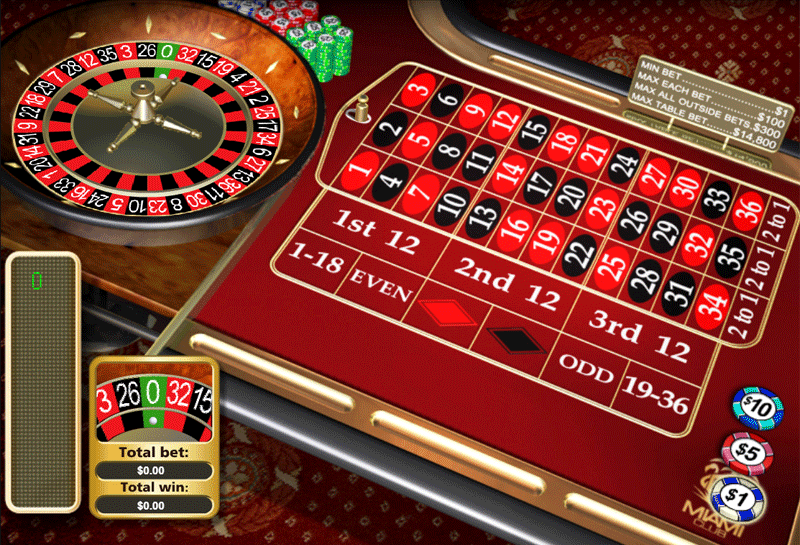
If table classics are your thing, you’ll come across numerous blackjack, roulette, and baccarat variations. The live casino lobby really excels, with expert dealers presented in sharp HD. Tapping your screen to put chips brings a rewarding, hands-on feel to the game.
Key Features of the Spinstein Casino App
The app’s biggest draw is its game library, which is identical to the one on desktop. You can play slots, table games, and live dealer sessions without missing out on anything. Searching for a specific game or exploring categories is simple, even on a smaller screen.
You have full control over your account from the app. Carry out deposits, request withdrawals, or claim bonuses right from your phone. The app can deliver you alerts about new promotions, and you can get in touch with customer support without ever exiting it.
Refined User Interface and Experience
The layout is clean and uncluttered, built for the size of your phone screen. Menus are intuitive, and buttons work the instant you press them. The clean design lets you focus on playing, with interactions that are natural.
Protected and Hassle-Free Banking
Every transaction uses the same powerful encryption as the Spinstein main site. You can pick from a broad list of payment methods, including e-wallets and debit cards. Whether you’re adding funds or cashing out, the whole process takes just a few protected taps.
Key Benefits of Playing on Mobile
Convenience is the key highlight. You’re not any longer tied to a desk. You can play a slot on your commute, play a hand of blackjack on your lunch break, or relax with a game from your sofa. This convenience fits perfectly with how people go about their day now.
The app also studies your habits. It can give you personalized alerts and lets you quickly get back to your favourite games. It’s designed to be kind on your phone’s battery and data plan, so you can enjoy more playtime without fretting over your device running flat.
- Immediate Access: Jump in in seconds. No need to wait for a computer to boot up.
- Complete Library: Every slot, table game, and live casino stream is on offer.
- Unique Promotions: Sometimes there are bonuses and promotions just for mobile players.
- Better Protection: On compatible devices, you can access your account with your fingerprint or face.
Mobile Offers and Bonuses
Fresh players on mobile qualify for the standard welcome bonuses, like deposit matches or free spins. If you’re already registered, you can receive reload offers or cashback right through the app. The rules for every promotion are identical, whichever way you play.
Make a habit of checking the promotions tab inside the app. You may see exclusive time-limited offers or tournaments showcased for mobile users. The app always shows the wagering requirements and eligible games, so you know exactly what you’re getting into.
Frequently Asked Questions
Is the Spinstein Casino mobile app free to download?
Yes, the app is free to download. You can download it from the Spinstein website or the Apple App Store for free. The app itself is just a free gateway to all the casino’s games and services.
Can I use my existing account on the mobile app?
Yes, that is possible. Just sign in with the same username and password you employ on the desktop site. Your balance, any active bonuses, and your play history will all be there, updated instantly across both platforms.
Are all the games available on the mobile app?
Almost every game from the desktop site is on mobile. This includes slots, table games, and live dealer rooms. A tiny number of older games might not work perfectly, but the variety is huge and new games are added all the time.
Is it safe to make deposits through the mobile app?
Yes, it is secure. The app uses standard SSL encryption to protect your data as it moves. Your payment information is kept secure, and outside experts regularly check these security systems to make sure they’re sound.
What should I do if the app crashes or has bugs?
Begin by closing the app completely and opening it again. Check if your phone’s software is up to date. Sometimes clearing the app’s cache or doing a fresh install fixes things. If the trouble continues, use the help section in the app to contact support.
Are there exclusive bonuses for mobile app users?
Most promotions work everywhere, but now and then you’ll find a promotion just for app users. These are advertised in the app’s own promotions area. Turning on push notifications is a good way to snag these special mobile offers.
How can I activate notifications on the Spinstein Casino app?
After you install the app, go to your phone’s general Settings. Find the permissions for Spinstein Casino and switch notifications on. You can also adjust what alerts you get, like for bonuses or new game arrivals, inside the app’s own settings menu.